
The best AI receptionist for clinics is the one that books straight into your own practice software, works in your country, and hands the tricky calls to a person. Most AI phone tools are built for trades, law firms and shops in North America, and a physio or chiro clinic in Australia, the UK or New Zealand has a different set of needs: a fussy diary, health information, and callers who sometimes just want a human.
This list compares seven options, from AI-first tools to human answering services that now use AI behind the scenes. We checked every price, trial and integration on each vendor's own website in October 2026. We make Chimehill, so we're not neutral about it. We've put it first because it's the only one here built around Cliniko, Splose, PracSuite and Nookal, and we've listed its weak spots too.
Best AI receptionists for clinics: a quick overview
- Chimehill: best for allied-health clinics on Cliniko, Splose, PracSuite or Nookal that want bookings made in the diary during the call.
- Moneypenny: best for UK private clinics that want trained people and AI working together.
- Ruby: best for US and Canadian practices that want every call answered by a person.
- Smith.ai: best for practices that want AI first with live receptionists as backup, outside regulated patient calls.
- Frontdesk (My AI Front Desk): best for therapy practices on North American practice software that need many languages.
- Dialzara: best low-cost way to try an AI receptionist, with simple per-minute plans.
- Goodcall: best for US practices that want a predictable bill priced per caller, not per minute.
| Tool | Best for | Books into practice software? | Pricing (as of Oct 2026) | Free trial |
|---|---|---|---|---|
| Chimehill | Allied-health clinics in AU, UK and NZ | Yes: Cliniko, Splose, PracSuite, Nookal | From A$249 / £129 / NZ$249 a month for 100 calls, excl. GST or VAT (about US$172) | 14 days |
| Moneypenny | UK private clinics wanting people plus AI | Books into "your system"; Calendly, HubSpot, Salesforce named | Pricing on request | Yes, free trial offered |
| Ruby | Fully human answering in the US and Canada | Scheduling offered; no clinic software named | From US$250 a month for 50 minutes | Not listed; money-back guarantee for first-time users |
| Smith.ai | AI first with live backup | Calendly named; no patient record system named | Free for 25 calls; Pro from US$150 a month for 75 calls | Free plan |
| Frontdesk | Therapy practices on North American software | SimplePractice, TherapyNotes, WebPT, ChiroTouch and others | US$99 a month, or US$79 a month billed annually | 7 days |
| Dialzara | A cheap first try | Google Calendar and Outlook | From US$29 a month for 60 minutes | 7 days |
| Goodcall | Per-caller pricing in the US | Google Calendar named | From US$79 a month for 100 unique callers | Free demo agent; pay when you add a number |
1. Chimehill: best for allied-health clinics on Cliniko, Splose, PracSuite or Nookal
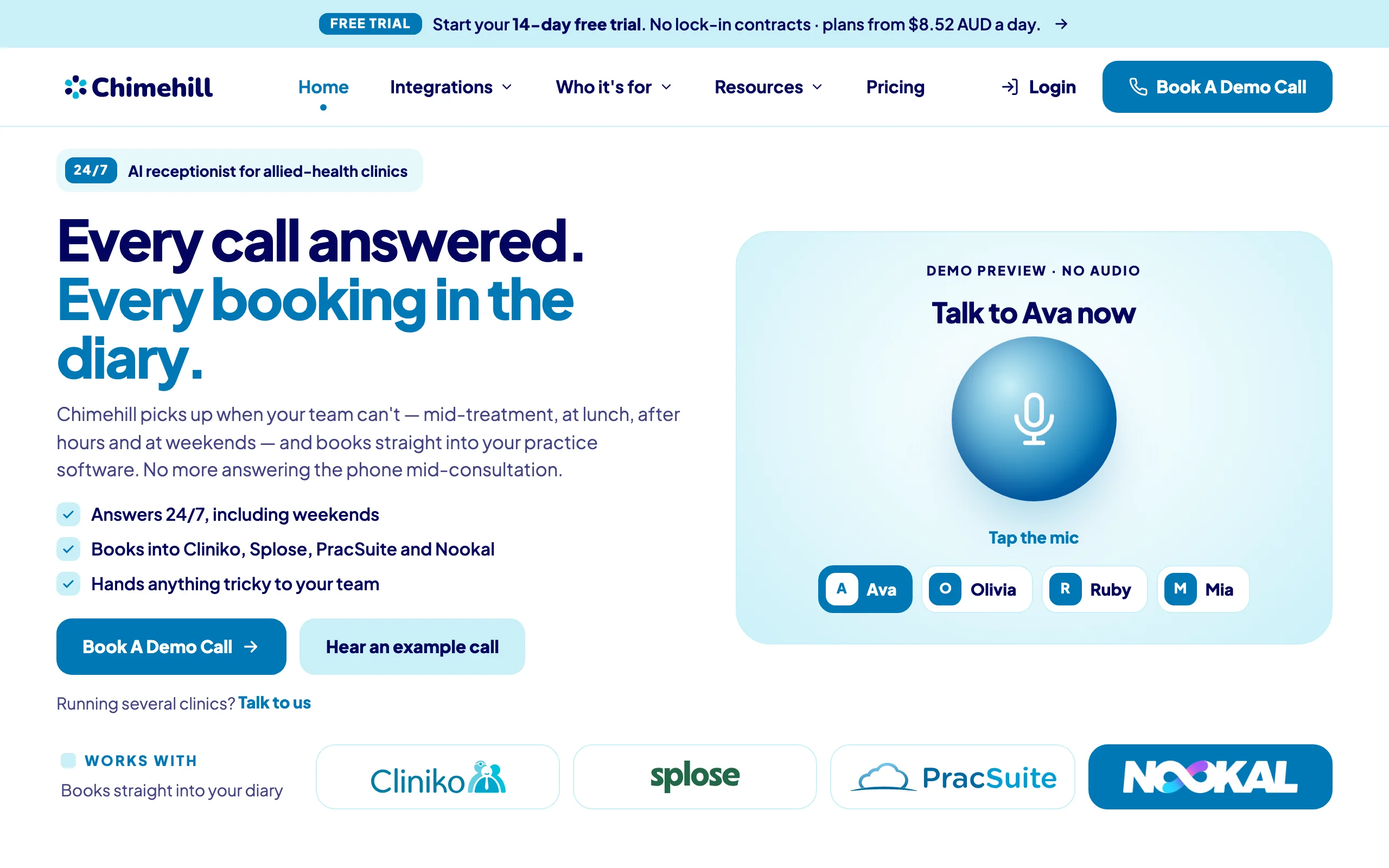
Chimehill is an AI receptionist built only for independent allied-health clinics: physio, chiro, osteo, podiatry, psychology and similar practices in Australia, the UK and New Zealand. It answers when your team can't (mid-treatment, at lunch, after hours and at weekends), books and changes appointments in your practice software, answers the questions you've approved, and passes everything else to your team with a summary.
Plans are priced by calls a month, start with a 14-day free trial and have no lock-in contract, so you can test it on your own line before you commit.
Key features
- Books into Cliniko, Splose, PracSuite and Nookal, offering real free slots and re-checking the slot just before it saves
- Never tells a caller "you're booked" until your software confirms the appointment; if the save fails, the caller hears it isn't confirmed and gets a callback
- You choose which appointment types and practitioners it can book
- Checks name and date of birth before finding or changing a booking, since caller ID alone isn't proof
- Answers only from your approved notes, and a caller who asks for a person is transferred or gets a callback
- Administrative only: urgent language follows an escalation script your clinic approves
Pricing (as of October 2026, excluding GST or VAT)
| Calls a month | Australia | UK | New Zealand | About in US dollars |
|---|---|---|---|---|
| 100 | A$249 | £129 | NZ$249 | about US$172 |
| 200 | A$379 | £189 | NZ$379 | about US$262 |
| 350 | A$579 | £289 | NZ$579 | about US$400 |
| Each extra call | A$2.70 | £1.60 | NZ$2.70 | about US$1.87 |
Plans are priced in Australian dollars, pounds and New Zealand dollars. The US-dollar column is an estimate converted from the Australian price at the European Central Bank reference rate on 15 October 2026 (1 AUD = 0.691 USD). Every plan starts with 14 days free and there's no lock-in contract; the pricing page has the details.
Pros
- The only tool in this list built around Cliniko, Splose, PracSuite and Nookal
- Booking rules match how allied-health diaries actually work
- Priced by calls, so a long family booking costs the same as a short one
Cons
- Works with four practice systems only: Cliniko, Splose, PracSuite and Nookal
- Answers calls in English only
If your clinic runs on one of those four systems, the fastest way to judge it is to book a demo call and watch a booking appear in a test diary.
2. Moneypenny: best for UK private clinics that want people and AI together
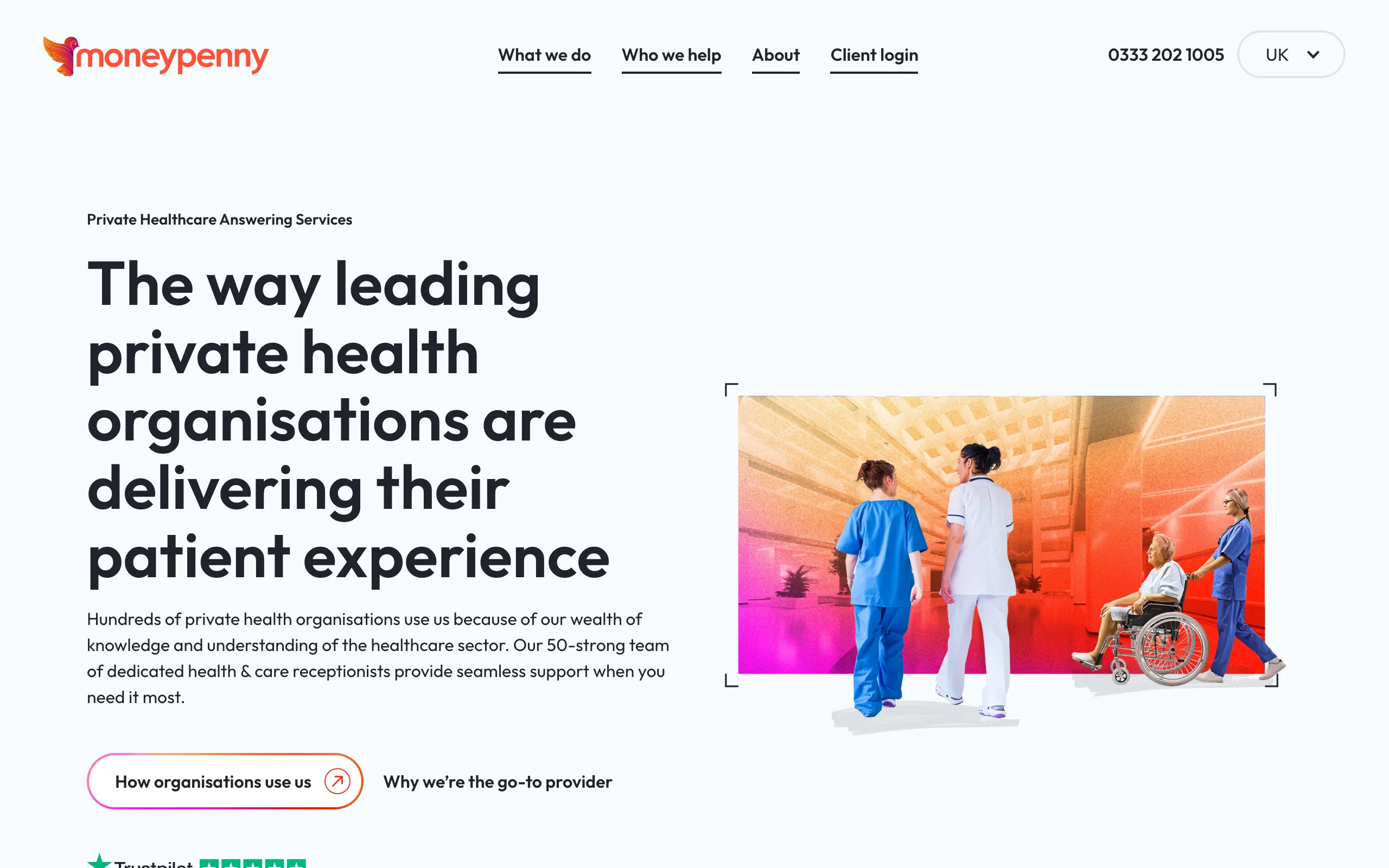
Moneypenny is a UK answering service that now mixes trained receptionists with an AI receptionist. Its healthcare team works with private clinics, GPs, dentists and care homes, and its pages describe the receptionists as 100% UK-based. The AI takes routine calls (scheduling, FAQs, lead details) and hands over to a Moneypenny receptionist or your own team when it can't help or the caller gets frustrated.
That mix suits a UK clinic that wants a human voice on the harder calls without paying for a person on every call.
Key features
- Dedicated healthcare reception team, UK-based
- AI receptionist with optional escalation to Moneypenny staff or your team
- Says appointments are scheduled "directly into your system"; Calendly, HubSpot and Salesforce are the tools it names
- Standard hours 8.30am to 6.00pm, with evening, weekend and 24/7 cover on request
Pricing (as of October 2026)
- Not published: pricing is quoted on request and based on usage
- A free trial is offered on its answering service pages
- Smaller schemes have a three-month minimum term; larger ones need six or twelve months
Pros
- Real people on hand for complex or upset callers
- Experience with private healthcare in the UK
Cons
- No public prices, so comparing costs takes a sales call
- Minimum terms rather than month to month
- None of Cliniko, Splose, PracSuite or Nookal is named on the pages we checked
3. Ruby: best for practices that want a person on every call
Ruby is a US virtual receptionist service where live people answer every call. It's clear about this: AI helps behind the scenes with transcripts and call flows, but it doesn't answer calls on its own. Ruby lists healthcare (doctors, dentists, chiropractors) among the industries it serves and offers HIPAA-compliant receptionists at no extra charge once you sign a business associate agreement.
The catch for most readers of this post is geography. Its FAQ says it serves the United States, Canada and the US Caribbean.
Key features
- Live receptionists 24/7, including weekends and holidays
- English and Spanish answering around the clock
- Appointment scheduling, intake and outbound calls
- Mobile app, and it says it connects to over 5,000 apps (not itemised on the pricing page)
Pricing (as of October 2026, shown in $)
- 50 minutes: US$250 a month
- 100 minutes: US$395 a month
- 200 minutes: US$720 a month
- 500 minutes: US$1,725 a month
- Minutes are billed in 60-second steps and include hold time; a money-back guarantee applies to first-time customers within 21 days
Pros
- Every caller talks to a person
- No long-term contract
Cons
- Per-minute pricing gets expensive for clinics with long booking calls
- Only available in the US, Canada and the US Caribbean
- No clinic practice software named
4. Smith.ai: best for AI first with live receptionists as backup
Smith.ai runs an AI receptionist that answers first and passes complex calls to live, North America-based receptionists. It also sells human-first plans. Its homepage leads with law firms, and its medical page is upfront that it is "not HIPAA-compliant and cannot handle protected health information". It points that product at wellness and veterinary businesses instead.
So it's a fit for the non-clinical side of a practice (enquiries, FAQs, messages) more than for patient booking calls.
Key features
- AI answering with transfer to a live receptionist
- Scheduling through Calendly, plus Clio and Zapier integrations
- Spam filtering, with up to 10% of calls removable from the bill each cycle
- Test and simulated calls included in every plan
Pricing (as of October 2026, shown in $)
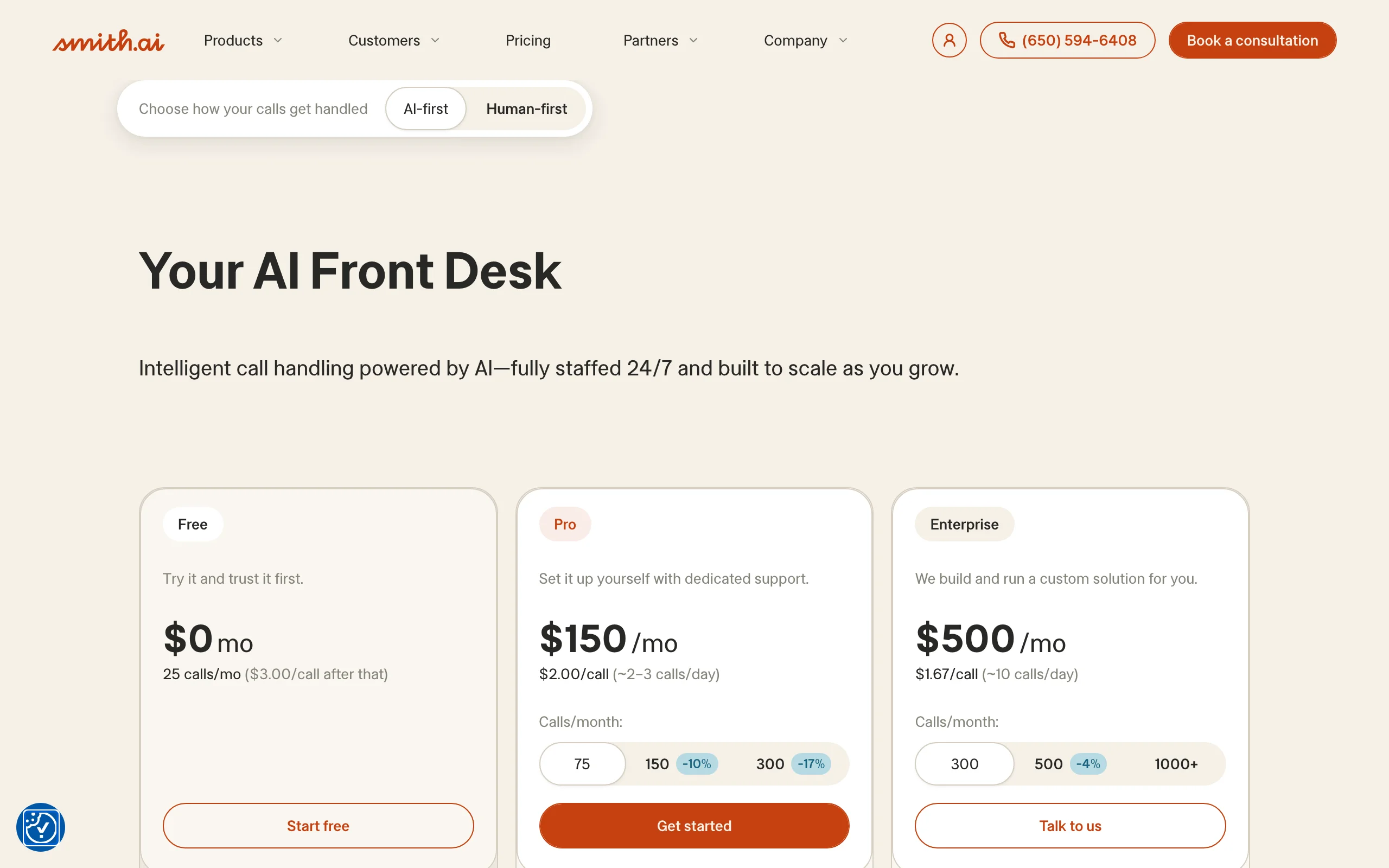
- Free: 25 calls a month, then US$3.00 a call
- Pro: from US$150 a month for 75 calls, with 150 and 300 call tiers
- Enterprise: from US$500 a month for 300 calls
- Month to month, with 30 days' notice to cancel
Pros
- A free plan lets you test it on real calls
- Per-call pricing is easy to forecast
Cons
- Says it can't handle protected health information
- Live backup is North America-based, and no patient record system is named
5. Frontdesk (My AI Front Desk): best for therapy practices on North American software
Frontdesk, sold by Bevado and also known as My AI Front Desk, is an AI platform that answers calls, texts and chat. Unlike most general tools, it has a full set of pages for therapy practices (physical therapy, OT, speech, mental health) and lists integrations with North American practice software including SimplePractice, TherapyNotes, WebPT and ChiroTouch. It says it is HIPAA-compliant and signs business associate agreements.
Its own tutorial names US, Canada, the UK and Australia as the four main countries for phone numbers; international numbers need a verification step that usually takes two to three business days.
Key features
- Calls, texts, chat and email from one agent with shared memory
- Warm transfers or real-time alerts with a transcript when a human is needed
- Over 20 languages
- Booking and calendar features, plus Zapier on every plan
Pricing (as of October 2026, shown in $)
- Business-in-a-Box: US$99 a month, or US$79 a month billed annually, with 200 voice minutes
- Extra minutes use credits at about US$0.25 a minute
- 7-day free trial; no permanent free plan
Pros
- The broadest language support in this list
- Therapy-specific workflows and integrations
Cons
- None of Cliniko, Splose, PracSuite or Nookal appears on its integration list as of October 2026
- Credit-based billing takes some working out
6. Dialzara: best low-cost way to try an AI receptionist
Dialzara is an AI phone answering service for small businesses. It answers around the clock, books appointments, screens spam and emails you a summary of each call. You keep your number and switch it on with call forwarding. It has no healthcare-specific features: its FAQ says healthcare customers should talk to sales before going live rather than relying on blanket compliance claims.
The appeal is the entry price, which makes it a cheap way to hear what an AI receptionist sounds like on your own calls.
Key features
- Native Google Calendar and Microsoft Outlook connections
- Transfer rules by call type, with several transfer numbers
- Ten languages listed, detected from the caller's first sentence
- Optional SMS, chat and outbound agents on the same platform
Pricing (as of October 2026, USD)
- Business Lite: US$29 a month for 60 minutes (US$0.48 a minute after)
- Business Pro: US$99 a month for 220 minutes
- Business Plus: US$199 a month for 500 minutes
- Business Elite: US$349 a month for 1,000 minutes
- 7-day free trial, no set-up fees, cancel any time
Pros
- Lowest starting price in this list
- Month to month with no set-up fee
Cons
- Books into general calendars, not clinic practice software
- Its FAQ lists US numbers; ask about local numbers elsewhere
7. Goodcall: best for a predictable bill priced per caller
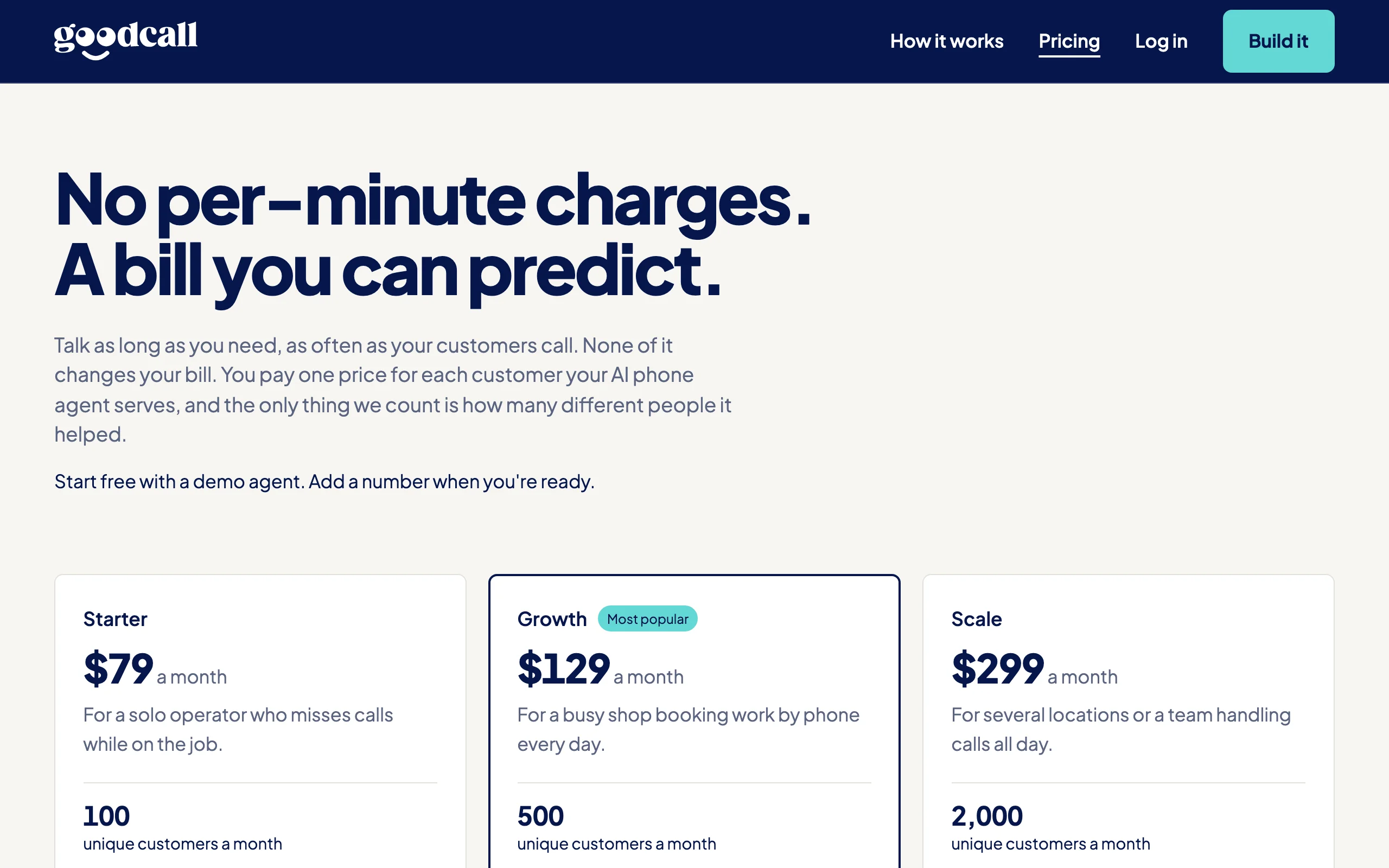
Goodcall is an AI answering service that charges by the number of different people it helps each month, not by minutes or calls. A patient who rings three times in a month counts once. You describe what you want in plain language and an assistant builds the phone agent for you. Its homepage claims HIPAA and SOC 2 compliance, and its examples include booking new patients.
Its help centre says it's currently available in the USA only, with an interest list for other countries.
Key features
- Checks availability and books into Google Calendar, then texts the details
- Transfers to the right person, with a backup if they don't pick up
- Call recording with transcripts
- A local number or forwarding from your existing line
Pricing (as of October 2026, shown in $)
- Starter: US$79 a month for 100 unique callers (79¢ each extra)
- Growth: US$129 a month for 500 unique callers
- Scale: US$299 a month for 2,000 unique callers
- Start free with a demo agent and pay when you connect a number
Pros
- Long calls and repeat callers don't change the bill
- The agent is built for you from plain-language instructions
Cons
- US only as of October 2026
- No clinic practice software named
How to choose an AI receptionist for your clinic
A demo always sounds polished. The calls that tell products apart are the awkward ones, so test those on purpose. These are the checks we'd run on any vendor, Chimehill included.
Live booking or a message?
Some tools book into your practice software during the call. Others take a message, or book into a separate calendar that someone has to copy across. Both can work, but they're different products. Ask which practice software it books into and watch a booking land in a test diary. If the answer is "a calendar" or "via Zapier", plan for your team to do the last step.
"You're booked" only after the save
A caller should only hear that they're booked once your software has saved the appointment. The slot should be re-checked just before saving, so two callers can't take the same time. Ask what the caller hears if the save fails or times out. The right answer is that the booking isn't confirmed and someone will call back.
Approved answers and booking rules
Prices, cancellation fees, parking and practitioner details should come only from information you've approved. When a caller asks something outside that list, it should say so and offer a callback rather than guess. Check that you can limit which appointment types and practitioners it books, and that anything outside those rules goes to your team.
A person whenever the caller asks
Some callers will always want a human. Asking for a person should trigger your chosen fallback straight away: a transfer, or a callback with a short summary. Test it on a demo call and see whether you get talked out of it.
An escalation script you approve
An AI receptionist is administrative. It shouldn't assess symptoms, give health advice or try to manage an emergency. If a caller uses urgent language, it should read an escalation script your clinic has reviewed, point the caller to emergency services or the right person, and flag the call. Have a practitioner review that wording before go-live.
Privacy in Australia, the UK and New Zealand
This is general information, not legal advice. In Australia, the OAIC says an organisation that provides a health service and holds health information is covered by the Privacy Act even if it's a small business. Its guidance on commercially available AI products asks organisations to make public-facing AI clearly identifiable, update privacy notices, consider whether information could leave Australia, and keep checking a product after go-live.
In the UK, health data is special category data under UK GDPR, and the ICO sets out what a controller and processor contract must include, such as no sub-processors without your written authorisation. In New Zealand, the Health Information Privacy Code 2020 applies to health agencies, and the Privacy Commissioner's guidance on AI recommends a privacy impact assessment before you start.
Note that HIPAA, which several tools above mention, is a US law. It doesn't answer the Australian, UK or New Zealand questions. Ask every vendor in writing:
- Where is call data stored, and does any of it leave the country?
- How long are summaries, transcripts and recordings kept?
- Who are the sub-processors, including the AI and voice providers?
- Are callers told they're speaking with an AI, and is recording on or off by default?
- How do we export or delete our data if we leave?
Pricing models
Per minute (Ruby, Dialzara, Frontdesk) makes long calls expensive and is hard to forecast. Per call (Chimehill, Smith.ai) is easier, but ask what counts as a call. Per caller (Goodcall) is the most predictable. Quoted pricing (Moneypenny) needs a written quote. Take last month's call numbers and ask each vendor what that month would have cost, extras included, then repeat it for your busiest month.
A short pilot plan
Don't forward every call on day one. Before go-live, connect a test diary, write your approved answers and review the escalation script. In the first few days, ring it yourself with the awkward calls: two people wanting the same slot, a request for a person, a noisy line, a cancellation inside your notice period. Then forward after-hours calls only for a week and read every summary each morning. Add overflow during busy treatment sessions in the second week. At the end, ask your front desk whether it saved them time or created checking work. If it's the second, fix the gaps before you forward more calls.
If you're still weighing up whether you need software or people, our guides to how an AI receptionist works for a clinic and using an answering service cover the trade-offs, and our physiotherapy page covers physio clinics specifically.
FAQ
What is the best AI receptionist for clinics?
It depends on your practice software and your country. For allied-health clinics on Cliniko, Splose, PracSuite or Nookal, Chimehill is built for exactly that set-up. UK clinics wanting people as well as AI might look at Moneypenny, and North American practices have more choice: Ruby, Smith.ai, Frontdesk, Dialzara and Goodcall.
How much does an AI receptionist cost?
As of October 2026, the tools here start at around US$29 a month for a small minute bundle and run to several hundred US dollars a month for busier clinics. Chimehill starts at A$249, £129 or NZ$249 a month for 100 calls (about US$172). The pricing model matters as much as the price: per minute, per call, per caller or quoted.
Can an AI receptionist book into Cliniko?
Some can. Chimehill books into Cliniko, Splose, PracSuite and Nookal. Most general AI receptionists book into Google Calendar, Outlook or Calendly instead, which means someone copies the booking across. Always watch a test booking land before you sign.
Is an AI receptionist better than an answering service?
They're good at different things. An AI receptionist is strongest on hours, volume and live bookings. A human answering service is better with unusual or upset callers, but usually takes messages rather than booking. Some services, such as Moneypenny and Smith.ai, now combine the two.
Can an AI receptionist give medical advice?
It shouldn't. An AI receptionist books, answers approved questions and hands over. Urgent or emergency language should trigger an escalation script your clinic has approved, pointing the caller to emergency services or the right person.
Do patients mind talking to an AI?
Some will prefer a person, and they should always be able to ask for one. Telling callers up front that they're speaking with an AI, and making the route to a person easy, keeps it honest. Your pilot's call summaries will show how your own patients respond.
Is a US HIPAA-compliant AI receptionist fine for an Australian or UK clinic?
Not on its own. HIPAA is a US law. In Australia you're working under the Privacy Act, in the UK under UK GDPR, and in New Zealand under the Health Information Privacy Code. Ask where data is stored, who the sub-processors are and what contract the vendor will sign.
How long does it take to go live?
Connecting software and forwarding calls can be quick. Writing approved answers, setting booking rules and reviewing the escalation script take longer and are worth doing properly. Plan for a two-week pilot, starting with after-hours calls, before you forward everything.